
Layout and Windows
How the workspace is built from panels, layouts and windows.
nextDMX has no fixed screen. The window is a grid of panels that you arrange yourself, save as layouts and spread across several monitors.
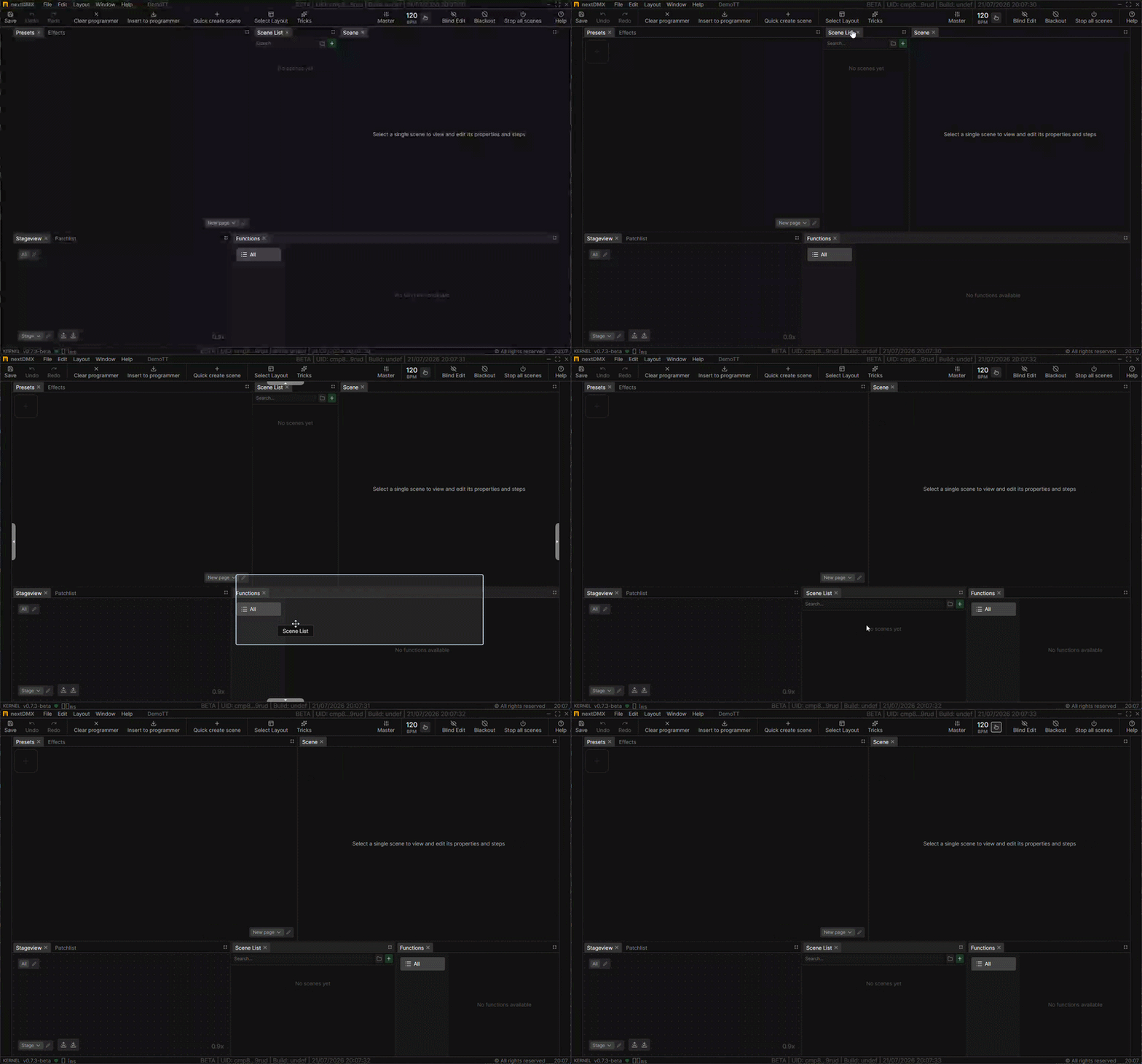
Panels and tabs
Every part of the app is a panel. Panels live in tabsets, and a tabset can hold several panels as tabs.
| Action | Result |
|---|---|
| Drag a tab | Moves the panel to another tabset |
| Drag a tab onto the edge of a panel | Splits that area and puts the panel there |
| Drag a splitter | Resizes the neighboring panels |
| Close a tab | Removes that panel from the layout |
Panel tabs cannot be renamed. Closing a panel only removes it from your view, nothing in the project is deleted.
The same panel more than once
A panel type can be opened several times. Two Stageviews can show two different stageviews, two ControlDecks with two different decks or two Presets panels with two different pages.
Adding a panel
Layout → Add Panel opens a searchable list. Type a few letters and press Enter to add the first match or select it from the list.
The new panel lands in the tabset you last worked in, docked to its right.
Layouts
A layout is a whole arrangement of panels saved under a name. Select Layout in the top toolbar opens the picker.
Six layouts come with the app:
Edit Scenes, Patch, Simple Scene Control, Timeline, Script View and ControlDeck.
Save current stores the current layout under a name, with a thumbnail of what it looked like. Saved layouts can be renamed, deleted, dragged into order and organized in folders. They are stored with the project.
Layout → Reset returns to Edit Scenes.
Child windows
Window → Add child window opens another nextDMX window. You can open as many as you need, and Move child windows to primary screen collects them again when a monitor disappears.
A child window has its own layout, its own Select Layout picker, its own top toolbar and footer. It shows the same project live, since all windows talk to the same kernel.
Settings and Project Settings stay in the primary window.