
Inputs and Outputs
Send DMX over the network with Art-Net and sACN outputs.
Outputs send the DMX data to lighting hardware. They are configured in Settings, under DMX Output, and they run on the machine the kernel runs on.
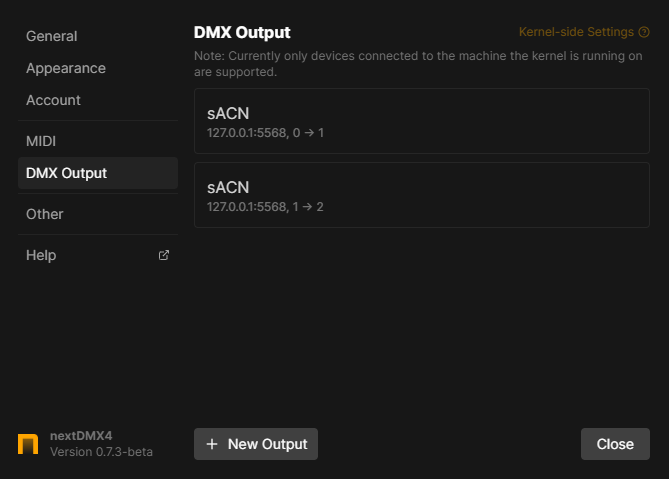
Outputs are stored with the app, not with the project. A project opened on another computer has no outputs until you set them up there.
Adding an output
Click New Output, choose a device type and click Add Output. Two types are currently available:
- Art-Net, DMX over an IP network.
- sACN, DMX over an IP network.
Each output maps one local universe to one universe on the network, so you need one output per universe you want to send.
Managing outputs
Outputs are listed with a summary of their settings, for example the host, port and universe mapping. Drag them to reorder, and use the context-menu to Edit or Delete one.
Modifying or deleting an output is not undoable.
Sending several universes
One output covers one universe. A rig using three universes needs three outputs, usually with the same host and port and the local and remote universe counted up.
DMX input
DMX input is planned but not supported yet.