
Color Effect
Parameters of the color effect.
The Color effect cycles fixtures through a list of colors. It drives RGB and color mixing channels.
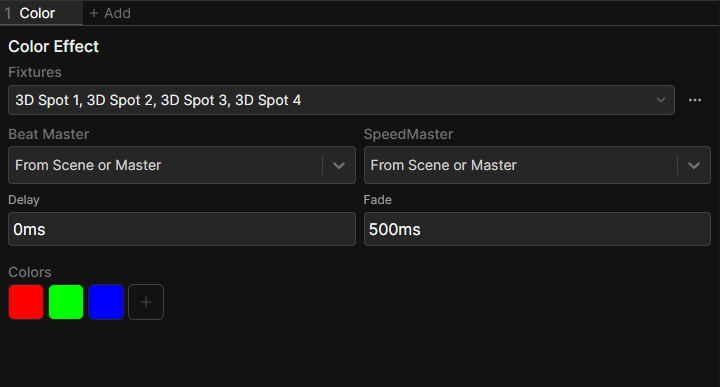
Parameters
| Parameter | Default | What it does |
|---|---|---|
| Colors | Red, green, blue | The ordered list the effect steps through |
| Delay | 500 ms | How long each color holds before it starts changing |
| Fade | 500 ms | How long the change to the next color takes |
Delay and Fade both take time or beats. Set in beats they follow the beat master and stay locked to the tempo.
Editing the color list
Add a color with +, click one to edit it and drag to reorder. The color dialog has a Delete button, which only appears while more than one color is left.
The list is a cycle, so the last color fades back into the first.
Shared settings
Like every effect, a Color effect also has Fixtures, Beat Master and SpeedMaster at the top of its editor. See the Effects Panel.
Spreading the effect across fixtures
On its own, every fixture shows the same color at the same time. Select the effect and raise Phase in the Functions panel to offset the fixtures. Typing 0..360-360/n spreads it evenly across the whole selection.
See Set Fixture Values for more on fanning values across a selection.